Hace tiempo me dejaron esta pequeña muestra de este navegador minimalista desarrollado en Python .
Con apenas 77 líneas de código se puede construir un navegador bastante decente tal y como lo pueden ver en la imagen.
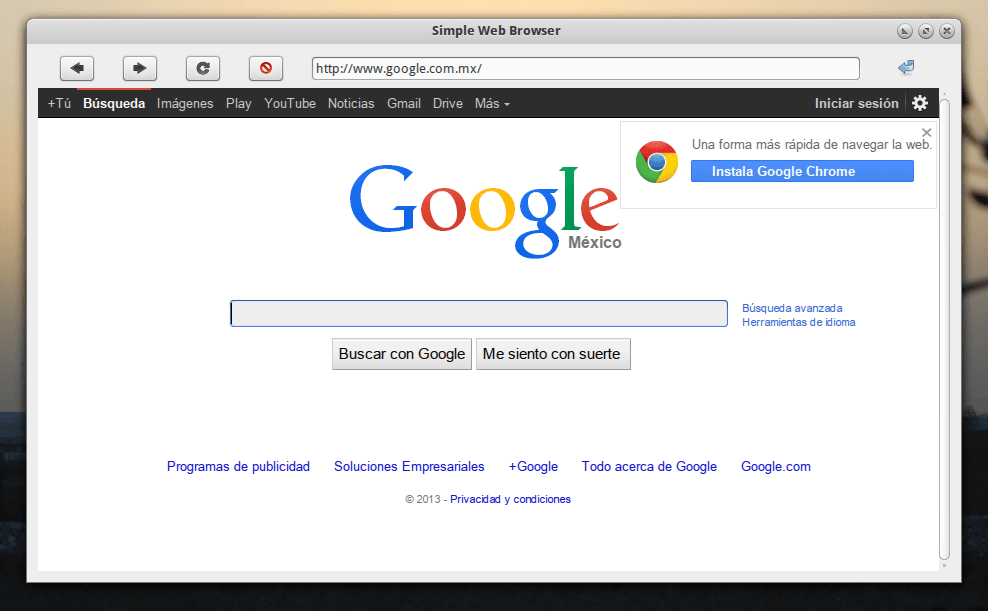
Un navegador muy minimalista
#!/usr/bin/env python
# -*- coding: utf-8 -*-
#
#       Simple navegador web con PyQt 5.
#
#       Copyright 2018 Recursos Python - www.recursospython.com
#

import sys

from PyQt5.QtCore import QUrl
from PyQt5.QtWidgets import QApplication, QHBoxLayout, QLineEdit
from PyQt5.QtWidgets import QMainWindow, QPushButton, QVBoxLayout
from PyQt5.QtWidgets import QWidget
from PyQt5.QtWebEngineWidgets import QWebEngineView

class Widgets(QMainWindow):

    def __init__(self):
        QMainWindow.__init__(self)
        self.setWindowTitle("Navegador Simple Python")
        self.widget = QWidget(self)

        # Widget para el navegador
        self.webview = QWebEngineView()
        self.webview.load(QUrl("https://www.google.com.mx"))
        self.webview.urlChanged.connect(self.url_changed)

        # Ir hacia atrás
        self.back_button = QPushButton("<")
        self.back_button.clicked.connect(self.webview.back)

        # Ir hacia adelante
        self.forward_button = QPushButton(">")
        self.forward_button.clicked.connect(self.webview.forward)

        # Actualizar la página
        self.refresh_button = QPushButton("Actualizar")
        self.refresh_button.clicked.connect(self.webview.reload)

        # Barra de direcciones
        self.url_text = QLineEdit()

        # Cargar la página actual
        self.go_button = QPushButton("Ir")
        self.go_button.clicked.connect(self.url_set)

        self.toplayout = QHBoxLayout()
        self.toplayout.addWidget(self.back_button)
        self.toplayout.addWidget(self.forward_button)
        self.toplayout.addWidget(self.refresh_button)
        self.toplayout.addWidget(self.url_text)
        self.toplayout.addWidget(self.go_button)

        self.layout = QVBoxLayout()
        self.layout.addLayout(self.toplayout)
        self.layout.addWidget(self.webview)

        self.widget.setLayout(self.layout)
        self.setCentralWidget(self.widget)

    def url_changed(self, url):
        """Actualizar la barra de direcciones"""
        self.url_text.setText(url.toString())

    def url_set(self):
        """Acceder a un nuevo URL"""
        self.webview.setUrl(QUrl(self.url_text.text()))

if __name__ == "__main__":
    app = QApplication(sys.argv)
    window = Widgets()
    window.show()
    sys.exit(app.exec_())
Para ejecutarlo sólo tienen que guardar el código en un archivo con la extensión .py , por ejemplo navegador.py y luego abrir una terminal y teclear algo parecido a esto:
python ./navegador.py
Y eso es todo!!!. Un especial agradecimiento a Diego Sarmentero por compartir este código. Puede ser muy útil como un navegador temporal, para hacer algunas pruebas, para curiosear su código y hacer sus propias modificaciones :)